The biggest change in Amazon Quick is not a new button. Work now keeps going after you close the laptop, shows up in one feed, and arrives as a finished deliverable on whatever device you pick up next.
This post explains what's new in Amazon Quick after the September 2026 upgrade, written for IT directors and CIOs who already run Quick or are deciding whether to expand it. We cover what changed, what we have seen it do for end users in a live enterprise rollout, and the settings IT should check before employees click Continue on the upgrade screen.
The short version
- The activity feed is the biggest day to day improvement. It pulls email, calendar, messages, and CRM into one ranked view with a daily briefing.
- Agents now run in the cloud, so scheduled and monitoring tasks keep working when your laptop is closed or turned off.
- Quick has moved from answers to deliverables: research from chat comes back as a document, and you can build shareable apps by describing them.
- Desktop and mobile now have parity. Conversations, context, and agents sync, so you can start on one device and finish on another.
- The upgrade moves user data to the cloud and offers to sync local folders by default. IT should decide on that before users do.
What's new in Amazon Quick: the upgrades at a glance
AWS shipped most of these changes on September 9, 2026, when the Amazon Quick desktop app became generally available on macOS and Windows alongside a sharper feed, always on agents, and new enterprise controls. Users now see a "Quick just got a major upgrade" screen the first time they open the app.
| Upgrade | What it does | What the end user gains |
|---|---|---|
| Activity feed and daily briefing | Ranks email, calendar, messages, and CRM items; briefing refreshes three times a day; search across seven days of feed data | One place to start the day instead of five apps |
| Agents in the cloud | Scheduled and monitoring agents keep running when the laptop is closed and post results to the feed | Follow ups and reports happen overnight |
| Deep research from chat | Runs research across several sources and returns a document you can review, build on, and share | A first draft, not just an answer |
| Custom apps from chat | Builds live apps connected to business data and shares them with teammates | Trackers and dashboards in minutes |
| Library | Replaces "My stuff" with one home for recents, favourites, and Quick artifacts | Less time hunting for yesterday's work |
| Desktop and mobile sync | Conversations, context, and agents follow you across devices | Start at your desk, finish on your phone |
| Local folders as spaces | Indexed local folders become searchable knowledge across devices | Quick answers from your own files |
| Admin controls | Mobile device management, custom per user permissions, Microsoft Purview data loss prevention | Governance that matches the new reach |
AWS also raised the monthly agent hours in every subscription. Professional moves from 4 to 8 hours and Enterprise from 8 to 18, now combined into a single allotment (AWS).
The activity feed is now the place to start the day
The Amazon Quick activity feed is where we have seen the largest improvement. In the enterprise rollout we support with 200 AI Champions, the feed went from a feature people checked occasionally to the screen they open first.
The feed merges email, calendar, Slack, and CRM signals into one prioritized view, and users can reply, approve, or act without leaving it. The daily briefing refreshes three times a day, and new filters plus a catch up view make it easier to see what changed since your last look (AWS).
For a busy manager, the productivity gain is attention, not typing speed. Instead of scanning an inbox, a calendar, and three chat channels before the first meeting, they read one ranked list and decide what matters. That is also why the activity feed was one of the four setup steps we insisted on in our 200 champions rollout. If the feed is not connected to the right sources, people never see its value.
Agents now run in the cloud and keep working when your laptop is off
Amazon Quick agents now run in the cloud, so tasks keep running even when your computer is turned off. This is the second improvement our champions noticed immediately.
Before the upgrade, a long task depended on the laptop staying awake. Now scheduled tasks and monitoring agents run on AWS and deliver their results to your feed when they finish (AWS). An agent started at 5 p.m. can summarize overnight email, watch a pipeline for stalled deals, or prepare tomorrow's meeting notes while you are away.
The upgrade screen itself shows custom agents that connect to Slack, Outlook, and Salesforce to flag stalled deals, draft follow ups, and prep you for meetings. Combined with the larger agent hour allotment, this moves agents from a demo feature to something a sales lead or operations manager can rely on every week.
From answers to deliverables: research, documents, and apps
The third major improvement is that Amazon Quick now creates deliverables, not just replies.
Three upgrades drive this:
- Deep research from chat. You start multi source research from a normal conversation, and the results arrive as a document you can review, edit, and share.
- Custom apps from chat. You describe a project tracker, customer dashboard, or training portal, and Quick builds a live app connected to sources such as Salesforce, Jira, ServiceNow, and Microsoft 365. Connections follow your existing identity and access policies, and apps can be shared with specific users or the whole organization (AWS).
- Library. Every artifact lands in one place. AWS renamed "My stuff" to Library and reorganized agents, skills, connectors, and knowledge under a Customize hub (AWS documentation).
Customers describe the same pattern. Chris Hesse, CTO of Mondelēz, told Amazon: "Quick is helping our people complete tasks in minutes instead of hours." Amazon reports that its own Amazon Books team cut the time leaders spend developing coordination documents by 80 percent (About Amazon). Treat vendor reported numbers as a direction, then baseline your own.
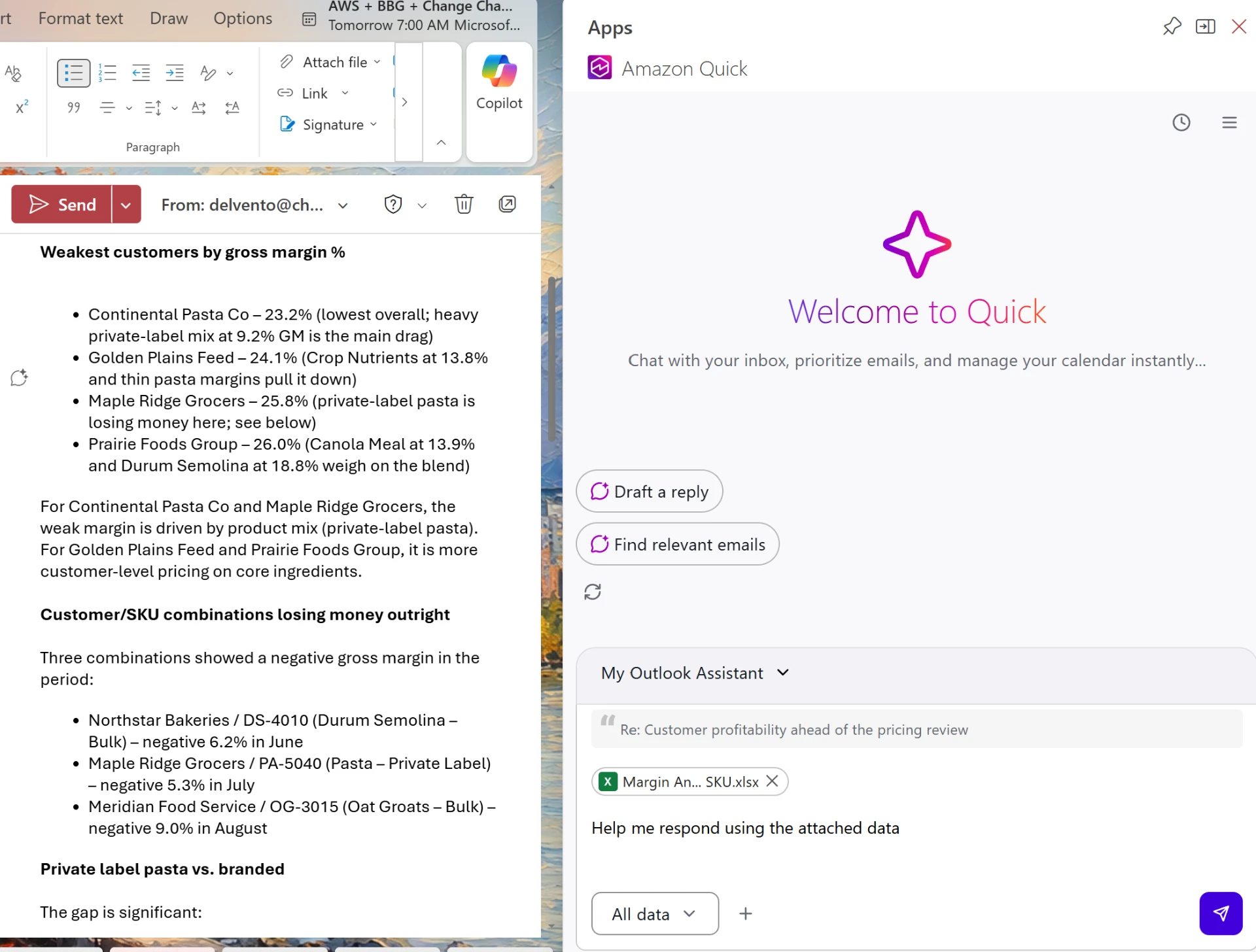
If your people work mostly in Word, Excel, PowerPoint, and Outlook, read our walkthrough of Amazon Quick inside Microsoft 365 for what the extensions do in each app.
The same Quick on desktop and mobile
Amazon Quick now offers parity across devices. Conversations, context, and agents stay in sync between the desktop app and the iOS and Android apps, so you can start work on one device and continue on another (AWS).
Adoption drops when a tool only works in one place. A regional manager who reviews the morning briefing on a phone, kicks off an agent from the car, and finishes the deliverable at a desk is using Quick three times a day without any extra effort. The mobile apps are free to download, and paid plans start at 20 US dollars per user per month according to GeekWire.
What IT should check before users click Continue
The upgrade moves each user's Quick data to the cloud, and the first screen shows a Local folders switch that is on by default. Make that decision centrally before employees make it one by one.
- Decide your local folder policy. Syncing local folders makes them searchable across devices, but it also moves their content to the cloud. Agree which folders are appropriate, and tell users before the prompt appears.
- Tell users to keep Quick open during the move. The app asks people to keep it open and their laptop awake while essentials migrate. A short note avoids help desk tickets.
- Turn on the new admin controls. Configure mobile device management, custom per user permissions, and Microsoft Purview data loss prevention, all added in this release (AWS).
- Set rules for agents that run unattended. Decide which systems cloud agents may act on, which actions need human approval, and who reviews agent output.
- Govern shared apps and agents. Users can now publish agents, skills, and apps for others. Agree who can publish organization wide and how you prevent duplicates.
- Plan agent hour budgets. Check the new allotments against your heaviest users so power users do not hit limits mid month.
Turning the upgrade into daily habits
New features do not change behaviour on their own. We map every Quick upgrade to the Prosci ADKAR model so people move from noticing the change to relying on it.
- Awareness: explain why the feed and cloud agents matter for each role, not just that they exist.
- Desire: have champions show their own morning briefing and an overnight agent result.
- Knowledge: run a short Show Me session on the feed, agents, deep research, and Library.
- Ability: in a Let Me Try workshop, every participant builds one agent and one deliverable from their own work.
- Reinforcement: managers ask "what did your agent do overnight?" in weekly check ins, and champions share examples each month.
Think of the old Quick as a smart search box. The new Quick is closer to a chief of staff: it watches, follows up, and hands you a draft. Start in the feed, delegate to agents, finish on any device.
What IT leaders should do next
- Decide the local folder sync policy before users see the upgrade screen.
- Send employees a short note on what's new in Amazon Quick and what to expect during the data move.
- Configure mobile device management, per user permissions, and Purview data loss prevention.
- Ask champions to connect the activity feed to email, calendar, chat, and CRM first.
- Pick three agent use cases per team that can run overnight, with clear approval rules.
- Baseline time spent on briefings, follow ups, and reports so you can measure the change.
- Revisit your tool map. If you also run Microsoft 365 Copilot, confirm who uses which tool for what.
How Change Champions helps
Change Champions is a PROSCI certified, platform neutral adoption partner. We have supported technology adoption for more than 60,000 users across 500 organizations, including live Amazon Quick rollouts. We help IT and business leaders turn each Quick upgrade into everyday habits:
- Upgrade readiness: policy decisions, user communications, and admin settings
- Champions network design and monthly reinforcement
- Show Me sessions and Let Me Try workshops on the feed, agents, and deliverables
- Tool fit guidance when Quick and Copilot run side by side
- Measurement and executive reporting
See our AI enablement services.
Ready to turn rollouts into real adoption?
Whether you're driving Microsoft 365 and AI adoption, reducing human risk, or leading a change program, a 30 minute discovery call is the fastest way to see if we're a fit.